- Home
- MiniMaxx Help
MINI MAXX TUNER ERROR CODE ANSWERS
Installation Guide
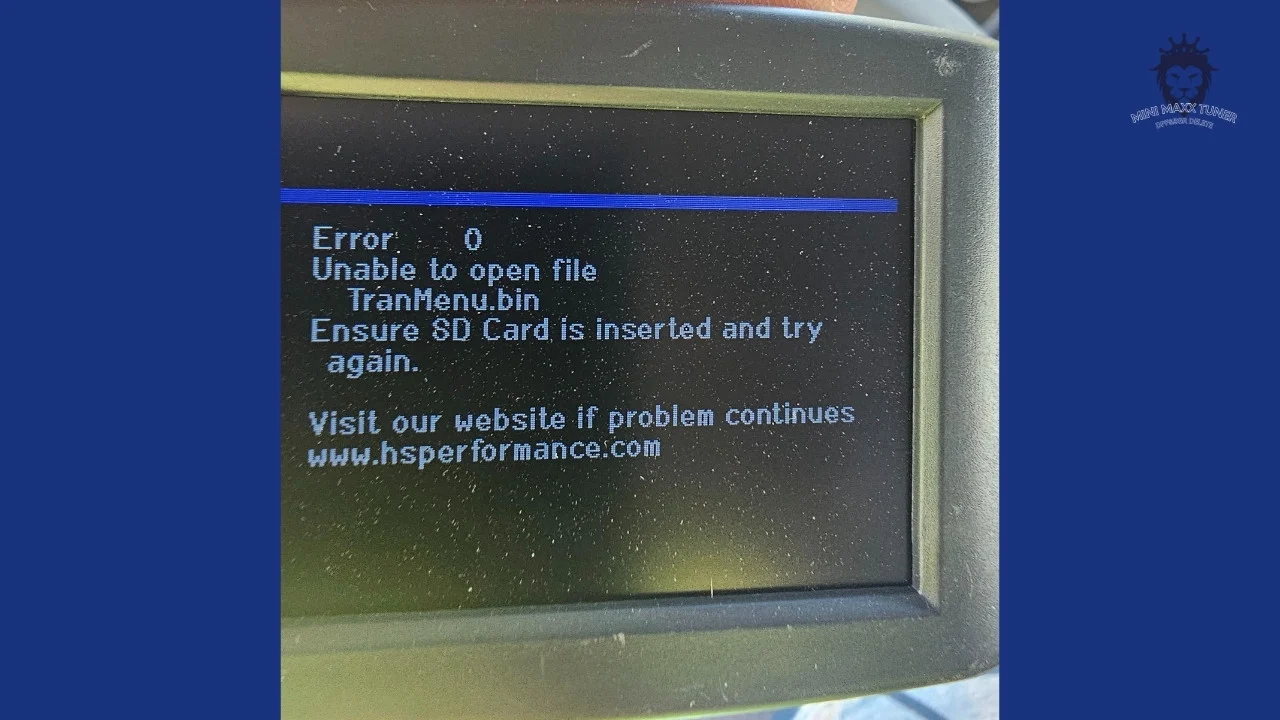
MiniMaxx Tuner Error 0 Code
Sir, This is just a minor issue. Let’s work together to explore and solve it.
This error code might be caused by a problem with the SD card’s format. It prevented the tuner from recognizing your SD card. Its format should be FAT.
Please take out the SD card
Replacement software for your H&S Mini Maxx Tuner. This download package comes with all the necessary files to load onto your Mini Maxx. Access to this download is free for unlock code customers. Approximate size is 1.2 Gb.
Note: This is a digital download. Customers must supply their own SD card.
Instructions:
- Use the download link provided after checkout to copy files to your computer.
- Unzip the file contents into a directory on your hard drive.
- Remove the SD Card from you tuner and attach to your computer using a MicroSD adapter.
- Create a new directory on your hard drive and call it “Tuner Backup”
- Extract the compressed file,Copy all files and directories from your SD card into the Tuner Back Directory.
- Copy the new files to the SD card, select “yes” to overwrite existing files.
- Install the SD card into your tuner and boot.
Supported Vehicles:
’03-’07 Ford 6.0L PowerStroke (TV 6.0.20)
’08-’10 Ford 6.4L Powerstroke (TV 6.4.52)
’11-’12 Ford 6.4L Powerstroke (TV 6.7.35)
’13-’14 Ford 6.4L Powerstroke (TV 6.8.14)
’06-’07 Dodge 5.9L Cummins (TV 5.9.18)
‘07.5-’09 Dodge 6.7L Cummins (TV 6.7.50)
’10-’12 Dodge 6.7L Cummins (TV 6.8.47)
‘07.5-’10 GM 6.6L Duramax LMM (TV 6.6.36)
’11-’14 GM 6.6L Duramax LML (TV 6.6.49)
here is the link:
https://drive.google.com/file/d/1MoV6bT1NycK3QrCFC1QUhkAgq5OWgoya/view?usp=drive_link
Thank you.
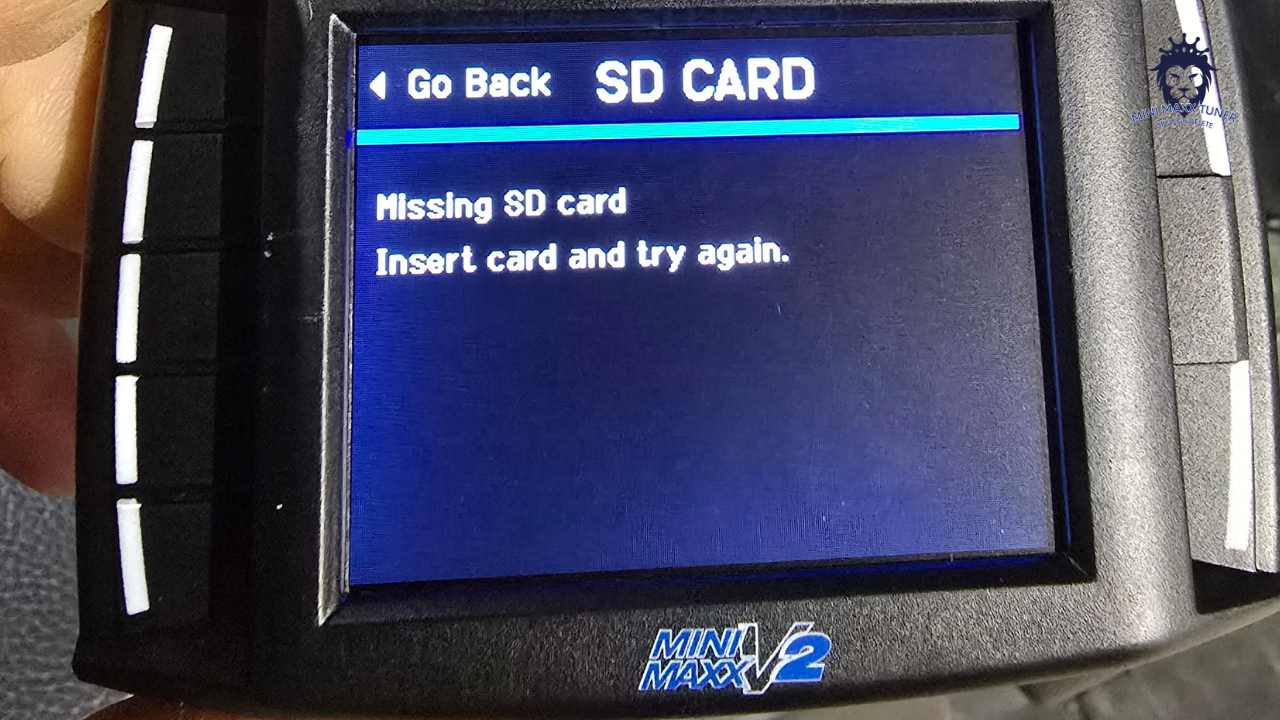
MiniMaxx V2 Missing SD Card
If your tuner displays a “missing sd card” error after this process you are using the wrong file system, it must be “FAT”. If your tuner displays an error about missing a specific file, this means you did not copy the files onto the SD card correctly, the most common cause is dragging the whole extracted folder onto the SD card when we specify you must drag only the files and folders within the extracted folder onto the SD card.
*please note: Due to a bug in the code, the version number will NOT change after an update, this will be fixed in the future as our priority is updating the tune files*
The reason the tuner cannot recognize the SD card is that the manufacturer did not set the format to FAT when importing the files in bulk. you can change the format of the SD card in the following way to resolve the issue:
Remove the SD card from your tuner and use the included Micro SD to USB adapter to connect the SD card to your Windows PC
Ensure your SD card is named exactly as follows without quotation marks: “MINI MAXX” If you are using a new SD card you will need to reformat it and rename it. When formatting the SD card you MUST ensure the “File System” is set to “FAT” (not FAT32 or exFAT)
Step:
Right-click on the SD card file, select “Format,” and then choose “FAT” in the file system. This will ensure that the SD card is formatted correctly so that the tuner can recognize it.

MINI MAXX V2 ERROR CODES P0088 P0513
Please Change the fuel rail sensor it’s burned out.
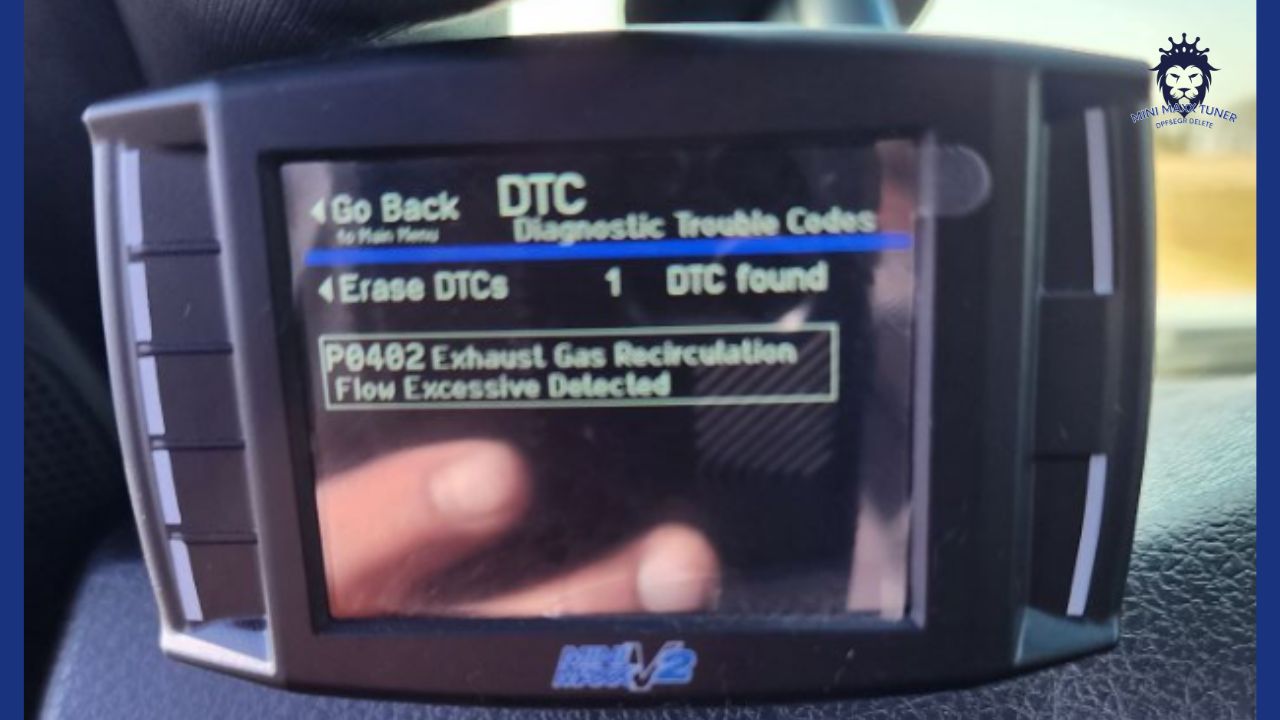
MINI MAXX V2 ERROR CODES P0402
No EGR,please blowing the EGR open.
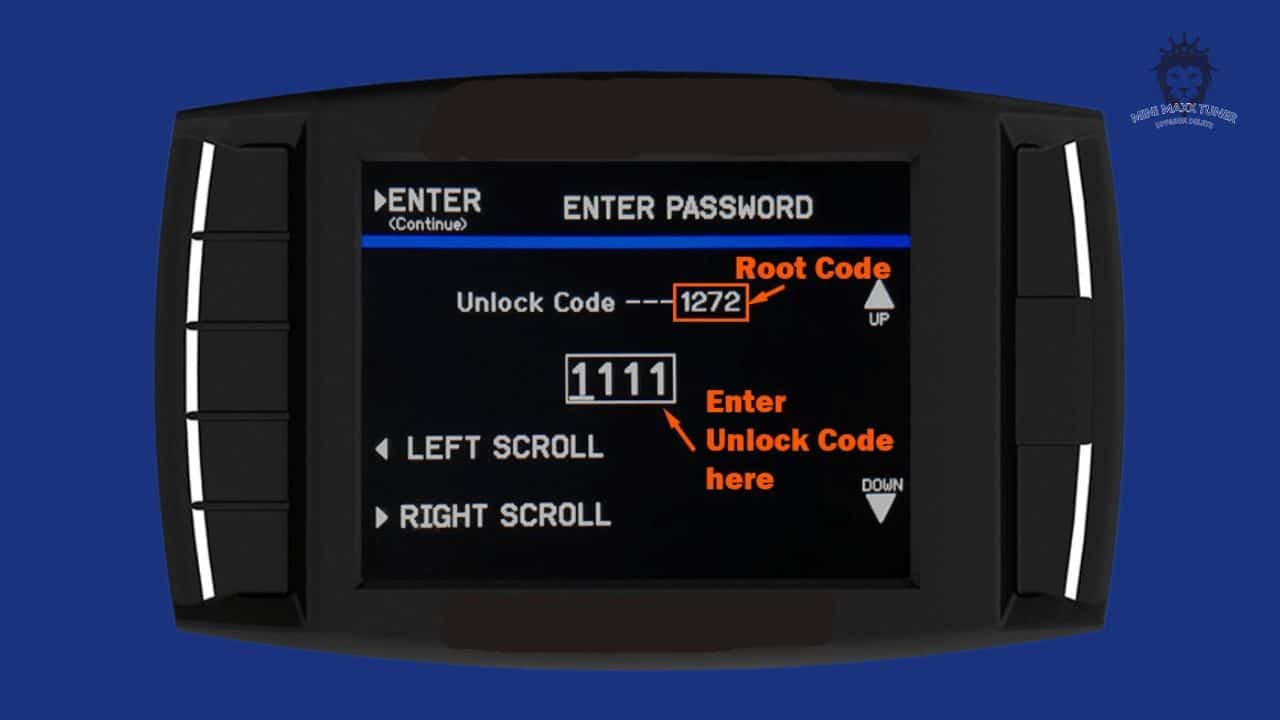
H&S MINI MAXX DURAMAX ERROR CODES 312 & 316
When attempting to install an H&S Mini Maxx on your 07-10 Duramax and you get code 312, go to show settings & hold down bottom left key 10 seconds then a screen will pop up. Enter unlock code 0468.
Then select reset unit then go directly to install down load, do NOT re select truck and year.
Error code 316:
This code means that the tuner isn’t communication with my ECM and there must be a tune on the truck or has been a tune on it in the past. Your truck will first need flashed back to stock at your local dealer before before the Mini Maxx will install.
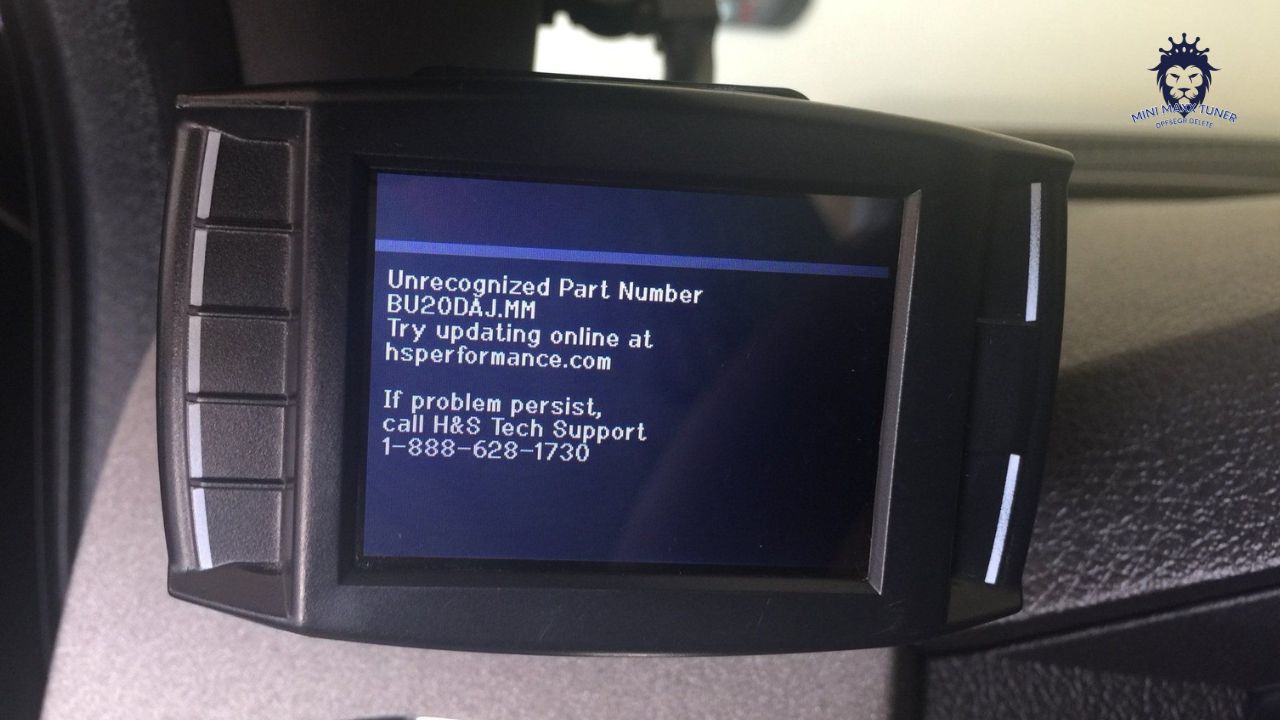
H&S MINI MAXX UNRECOGNIZED PART NUMBER ON 6.7L POWERSTROKE
On the 2011-2015 6.7L Power Stroke, the H&S product will return to stock with your EXACT calibration that was originally on the vehicle. Because of this, and because Ford is constantly updating their calibration database (430 individual calibrations for the 11-15 6.7L Power Stroke at the time of this post), you may experience a message saying “unrecognized part number” on your H&S device. This thread serves as a solution to bypass this error message.
Here are the steps:
Write down the exact error that the H&S product gives you. It will look something like “DC20BMF.MM”
Remove the SD card from your H&S product and insert it into a computer.
For 2011-2012 model year trucks, open the folder “FORD67”. For 2013-2014 models open “FORD13” and for 2015 choose FORD15 folder.
Reference your error message written down previously and note the first 4 digits of the file name. Your device is telling you that we do not recognize the particular OEM calibration that is on your vehicle. The H&S is simply looking for that exact file name on the SD card, and then tuning will proceed. Match up the first 4 digits of your error message with the first 4 digits of any other file on the SD Card. There will be MULTIPLE files that match the first 4 digits, use ANY of them.
BC20xxx = 2011 ECM
BC33xxx = 2011 TCM
CC20xxx = 2012 ECM
CC33xxx = 2012 TCM
DC20xxx = 2013 ECM
DC33xxx = 2013 TCM
EC20xxx = 2014 ECM
EC20xxx = 2014 TCM
Once you have selected a file that matches on the first 4 digits, make a copy of that file.
Paste that copy into the same directory and rename that copy as the EXACT file name that your H&S gives in the error message. For instance, if my error message stated “Unrecognized part number DC20BMF.MM”, I would rename the previously made copy of any “DC20xxx.MM” file as “DC20BMF.MM”.
Once the file is correctly named on the SD card, the H&S product will allow you to proceed with tuning. If you get another error message, your TCM file is likely unrecognized also (BC33xxx, CC33xxx, DC33xxx, EC33xxx).
Proceed with the same steps above to rename a file already on the SD card to match your error message.
ANSWERS TO MOST COMMON QUESTIONS BELOW
H&S MINI MAXX | CHECK ENGINE LIGHT STILL ON
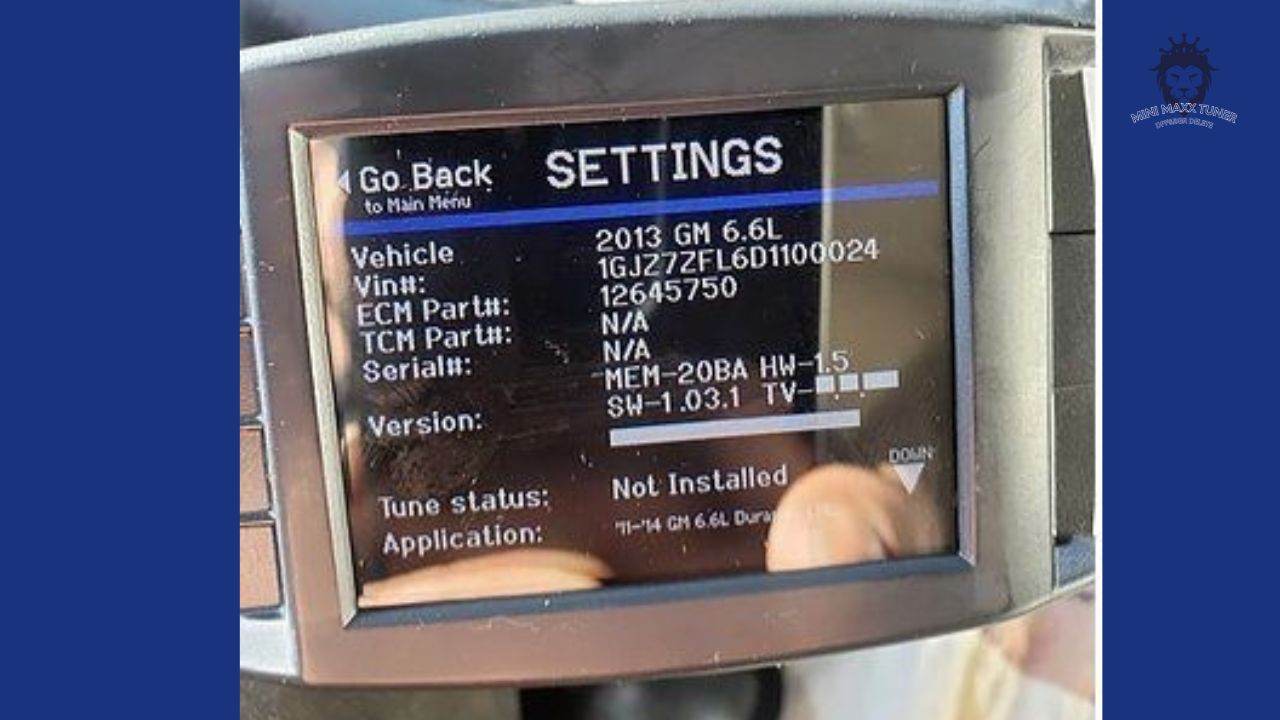
The most common issue and overlooked thing when installing the H&S Mini Maxx is thinking the tune has been installed when in fact it has not been.
If your check engine light is on after installing; 99% of the time its because you didn’t not follow the on screen instructions properly. Read & Clear the Diagnostic Trouble Codes (DTC’s). If codes and check engine light are still on; verify the tune status: Go into the Menu < Settings < Tune Status.
If tune status shows “Not Installed” go back and reinstall. It will ask if the DPF is present or DPF removed. Be sure to select DPF removed.
H&S MINI MAXX | VEHICLE SELECTION INFINITE LOOP
When installing the H&S Mini Maxx you must select your vehicle to load the proper tunes. In some instances it will continually keep asking even though you may have already selected it multiple times. This is a known issue, a rare issue, but we have seen it a handful of times. Send back the screen for warranty and we can swap it out for a new unit.
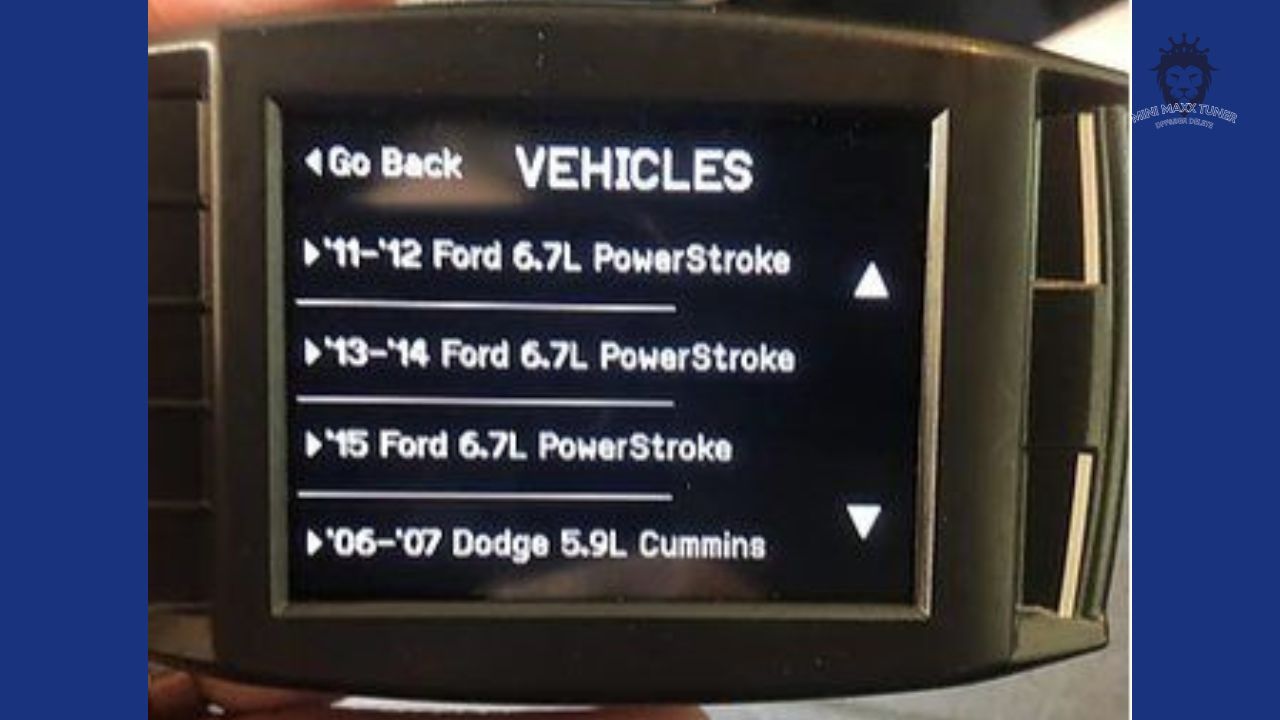
H&S MINI MAXX | YES, IT WILL FIT A 2015 AND 2016* POWERSTROKE
The H&S Mini Maxx will work on the 2008-2016 Ford Powerstroke Diesel. It’s common knowledge the H&S Mini Maxx will work up to 2014. Rumors on forums and miss informed dealers/installers seem to think development of tunes stopped after 2014. However that’s not the case. Our tuners are Fully up to date with the latest 2015/2016* Powerstroke tunes available. See blog post on 2016 Powerstroke before purchasing for that year.
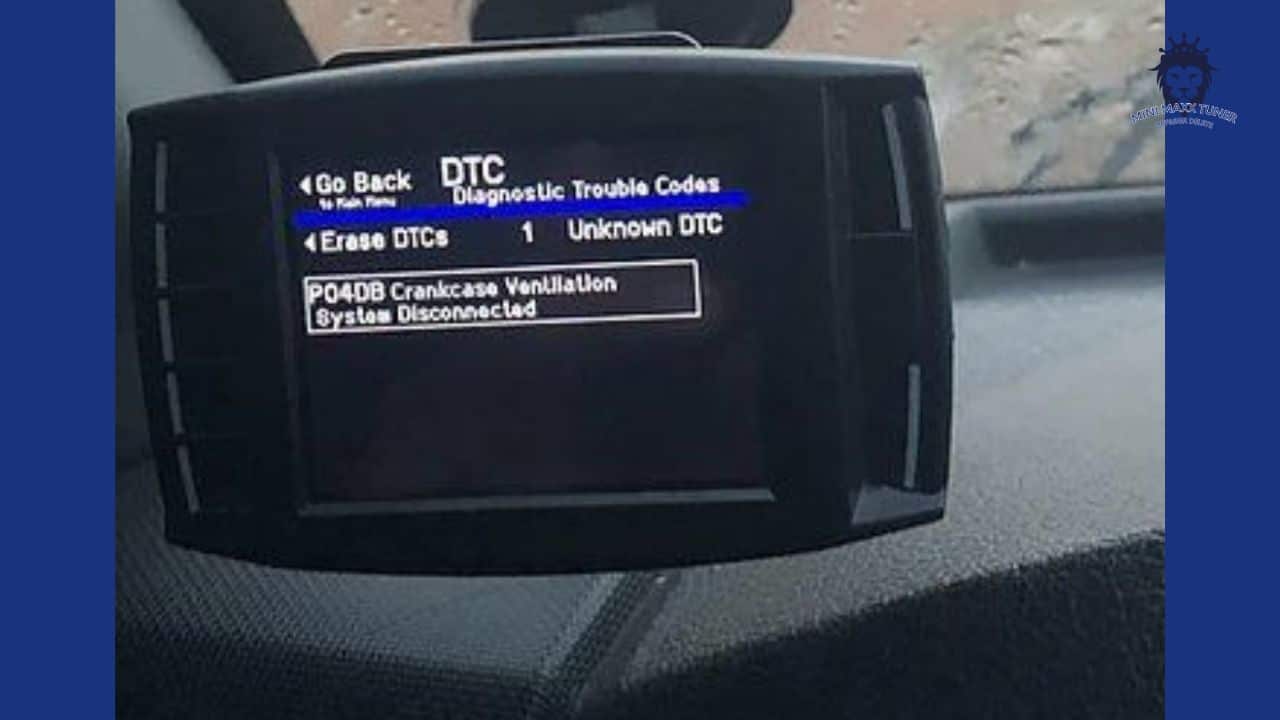
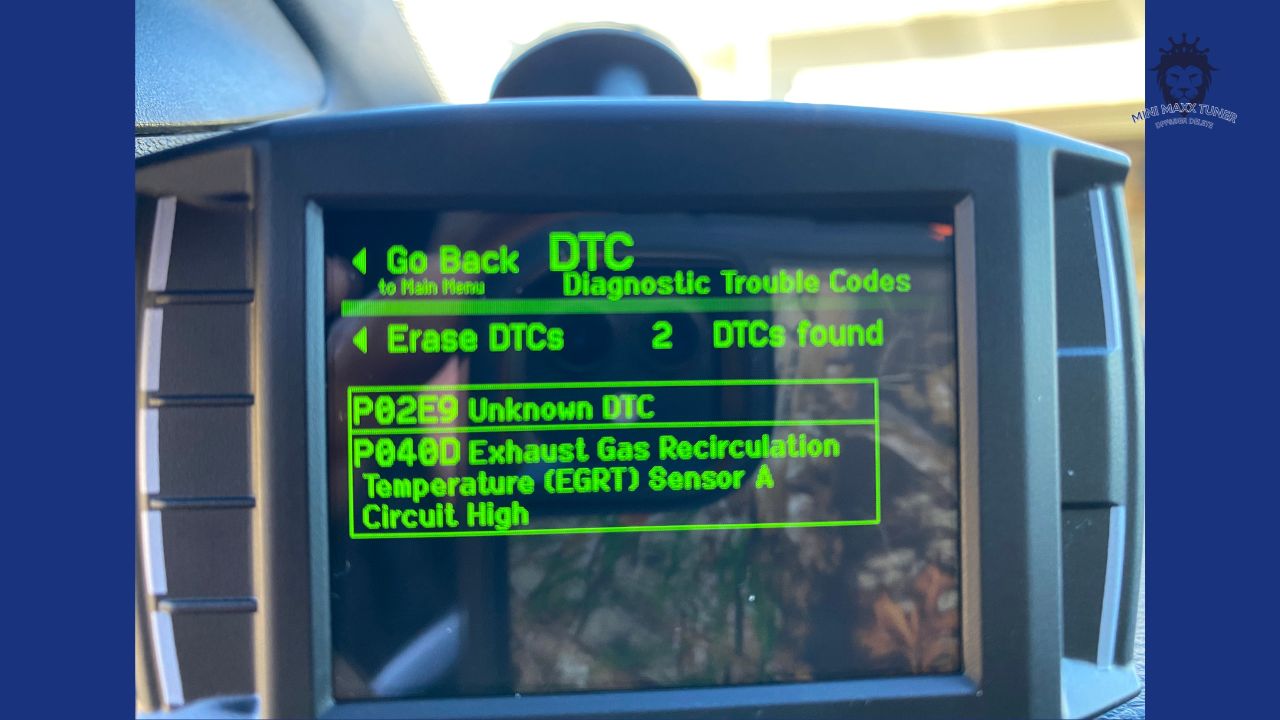
*CERTAIN 2016 TRUCKS ARE EQUIPPED WITH A CRANKCASE VENTILATION SENSOR. WHEN INSTALLING THE H&S MINI MAXX THIS WILL SET A CHECK ENGINE LIGHT & DTC. THE TRUCK WILL STILL RUN PROPERLY BUT YOU WILL HAVE A CHECK ENGINE LIGHT.
Tech support & 1 year warranty are also included.
H&S MINI MAXX | WILL NOT WORK ON 2015+ DURAMAX LML
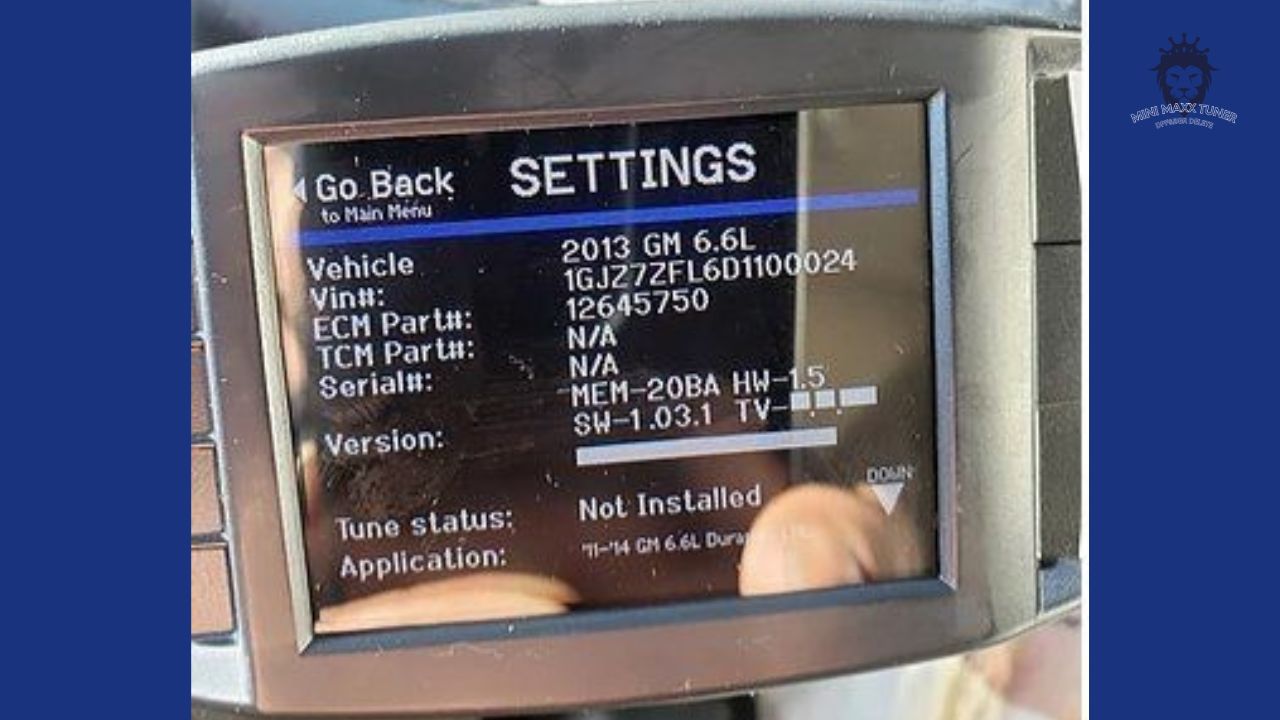
The H&S Mini Maxx will not work on a 2015 truck. For some unknown reason people purchase the Mini Maxx thinking it will work on a 2015+ GM Duramax. It will not. The Mini Maxx will only work on the 2011-2014 LML Duramax. Check your VIN before purchasing. The 10th digit will tell you the year. 2013 = D, 2014 = E, 2015 = F, 2016 = G. The pic below is the screen you will come across if attempting to install on a 2015+ model year truck. Please see Ez lynk for 2015-2016.
H&S MINI MAXX | UNRECOGNIZED PART NUMBER SPRA020.MM SPARTAN TUNER
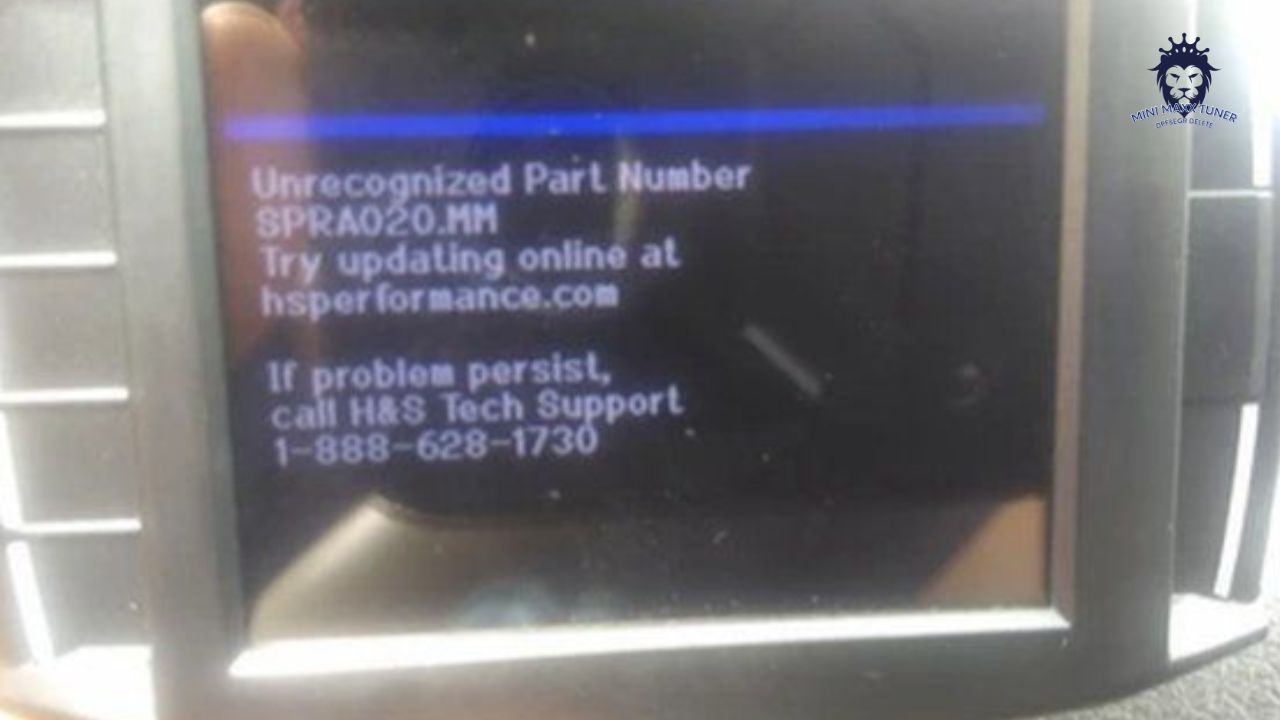
If when attempting to install an H&S Mini Maxx you come across Unrecognized Part Number “SPRAxxxx.MM” this indicated that a Spartan Tuner has been previously installed on the PCM. Spartan Tuners essentially hijack the the PCM and leave a footprint that prevents other devices from being downloaded. The truck needs to be re-flashed back to stock or “as built”. Typically a diesel repair shop or dealer can take care of this using an Integrated Diagnostic System (IDS). After the PCM has been flashed back to stock as it came from the factory you can install the H&S Mini Maxx.
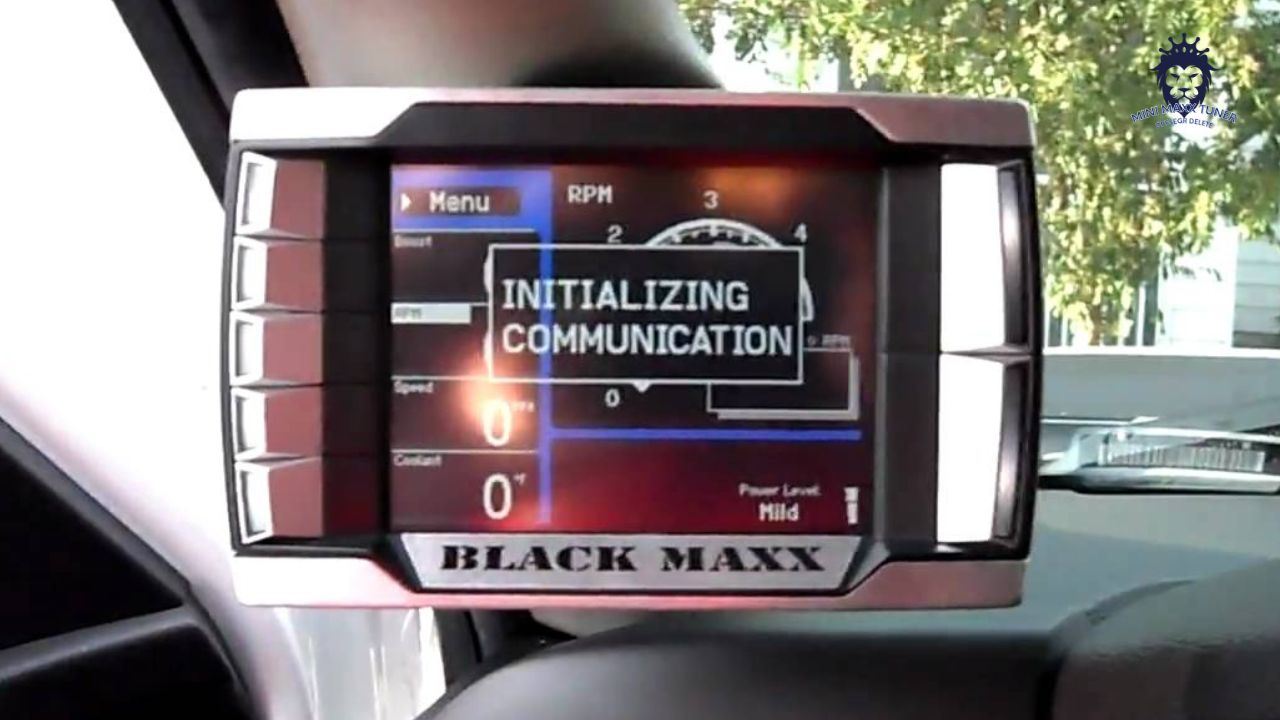
Mini Maxx Tuner is stuck on initializing communication
Simply press the top left button on tuner. If that does not work try unplugging and re-plugging in tuner and then retry.
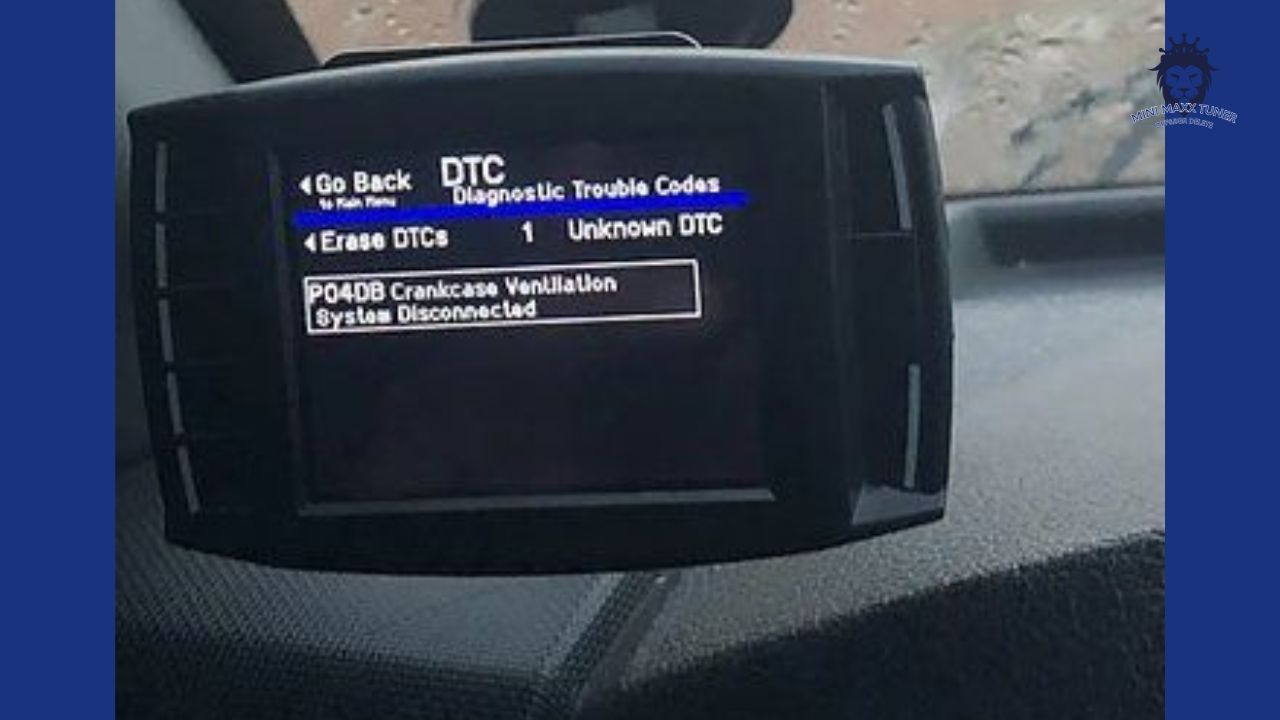
H&S MINI MAXX | CRANKCASE CODE 2016 FORD POWERSTROKE DIESEL 6.7L
The H&S Mini Maxx will work on the 2008-2016 Ford Powerstroke. Some 2016 trucks are equipped with a crankcase ventilation sensor. When installing the H&S Mini Maxx this will set a check engine light & DTC. The truck will still run properly but you will have a check engine light.
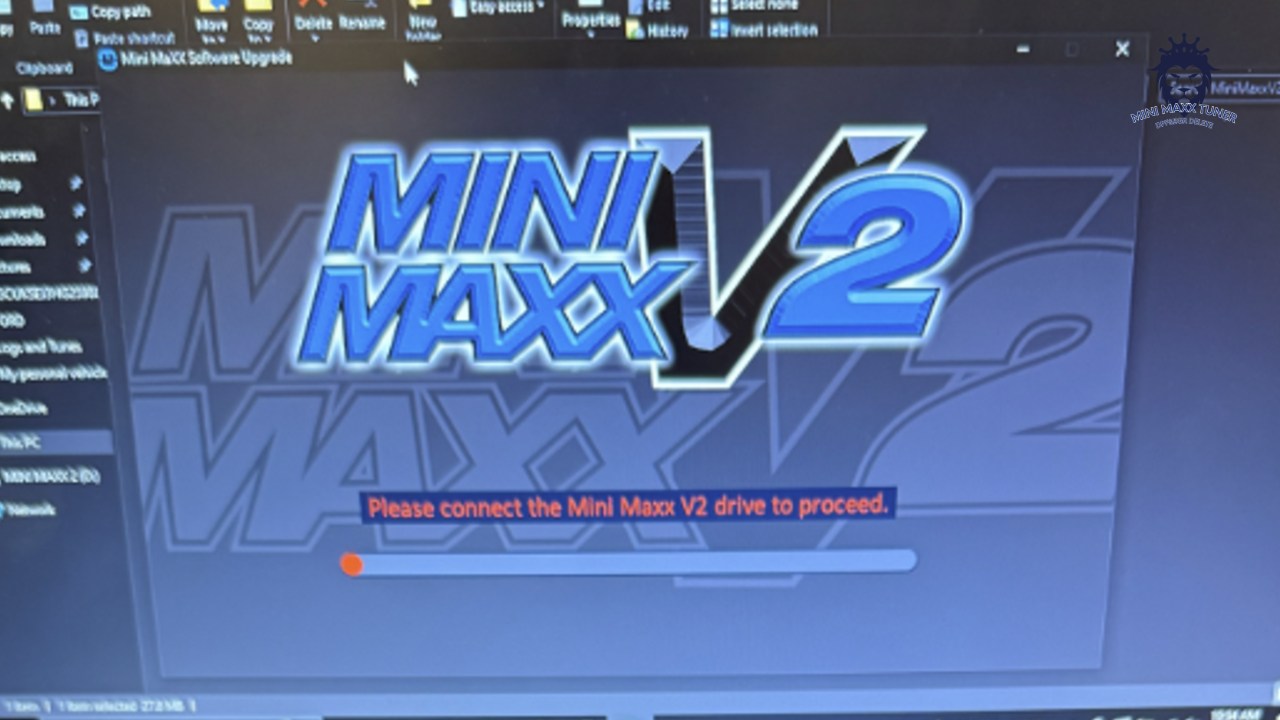
H&S MINI MAXX | error message: "Please connect the MiniMaxx V2 drive to proceed"
When you encounter the error message: “Please connect the MiniMaxx V2 drive to proceed”, it might be because the SD card you inserted is incorrect. Please replace the SD card and set its format to FAT. Set the name of the card to “MINI MAXX”, and then try again. Thank you.
Need Help with Installation?
Contact our support team for assistance with installation or any questions you may have.