📣 MiniMaxx V1 & V2 Tuner Wholesale and Dropshipping

MINIMAXX HELP & DIAGNOSTICS CENTER

Search error codes (e.g., 3F95, Error 0, U0073, P0088, 312), troubleshooting guides, or hardware questions below.

🔍
All Topics (17)
🚨 Error Codes
💾 SD Card & Files
⚙️ Vehicle & Tuning
📖 Guides & Downloads
🔴

How to Fix "Error 0" and "File Corrupt 3F95 / 65DC / 934D / EBEB"

Error Code
▼

Symptom & Root Cause

When selecting your vehicle or downloading files, the screen shows Error 0 or File Corrupt (3F95, 65DC, 934D, EBEB). This occurs when the tuner cannot read the required vehicle tuning files from the Micro SD card because folders are missing, corrupted, or incorrectly formatted.
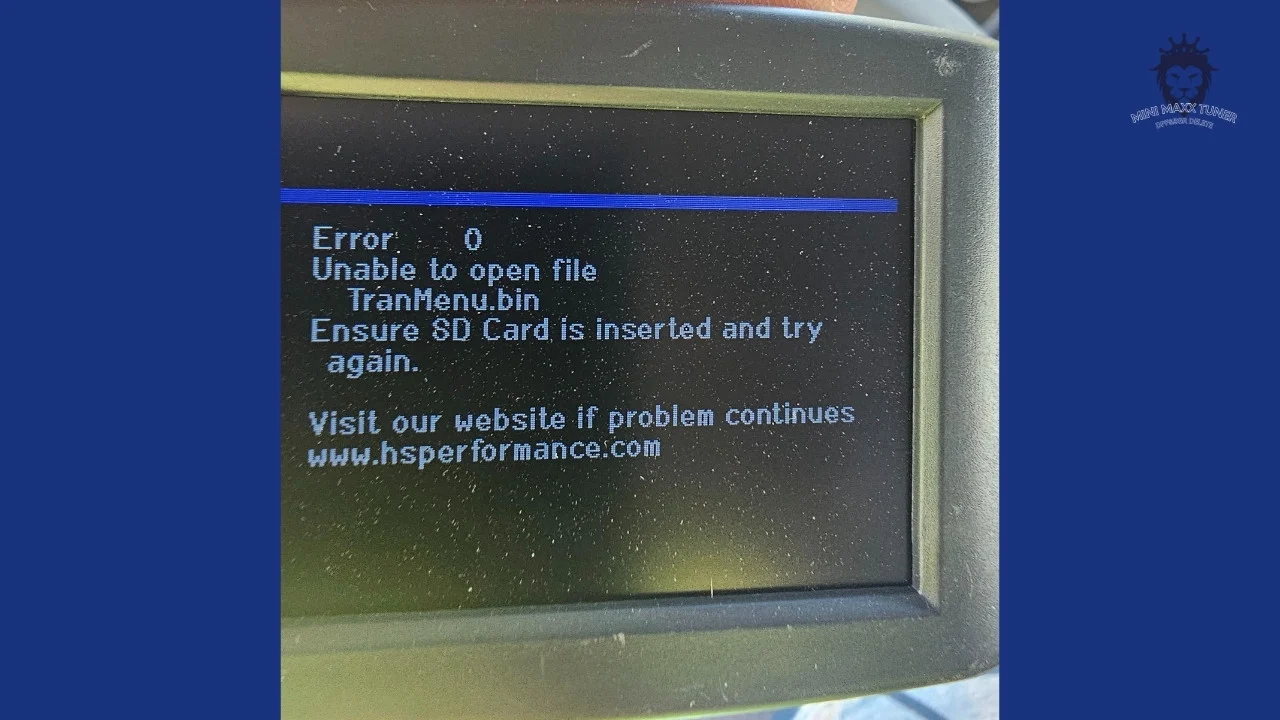
Mini Maxx Tuner Error 0 Screen
Authentic Screen Display: Mini Maxx Error 0 Communication Fault

Step-by-Step Fix:

  1. Remove the Micro SD card from the side slot of your Mini Maxx tuner and insert it into a PC/Mac reader.
  2. Format the Micro SD card using FAT32 file system (Allocation unit size: 32KB). Note: Always use 4GB to 8GB brand-name cards like SanDisk or Kingston.
  3. Download official SD Card files: V1 SD Card Package (Google Drive) or V2 SD Card Package (Google Drive).
  4. Unpack the zip and copy the FILES, STAGING, and IMAGE folders directly into the SD card root directory.
  5. Reinsert the card, plug into OBDII, turn key to ON position (engine OFF), and select your vehicle again.
🔴

Error: "Please connect the MiniMaxx V2 drive to proceed" / Missing SD Card

Error Code
▼

Symptom & Cause

On Mini Maxx V2 units, this prompt appears when the internal/external SD drive is unmounted, unformatted, or unreadable by the mainboard firmware.
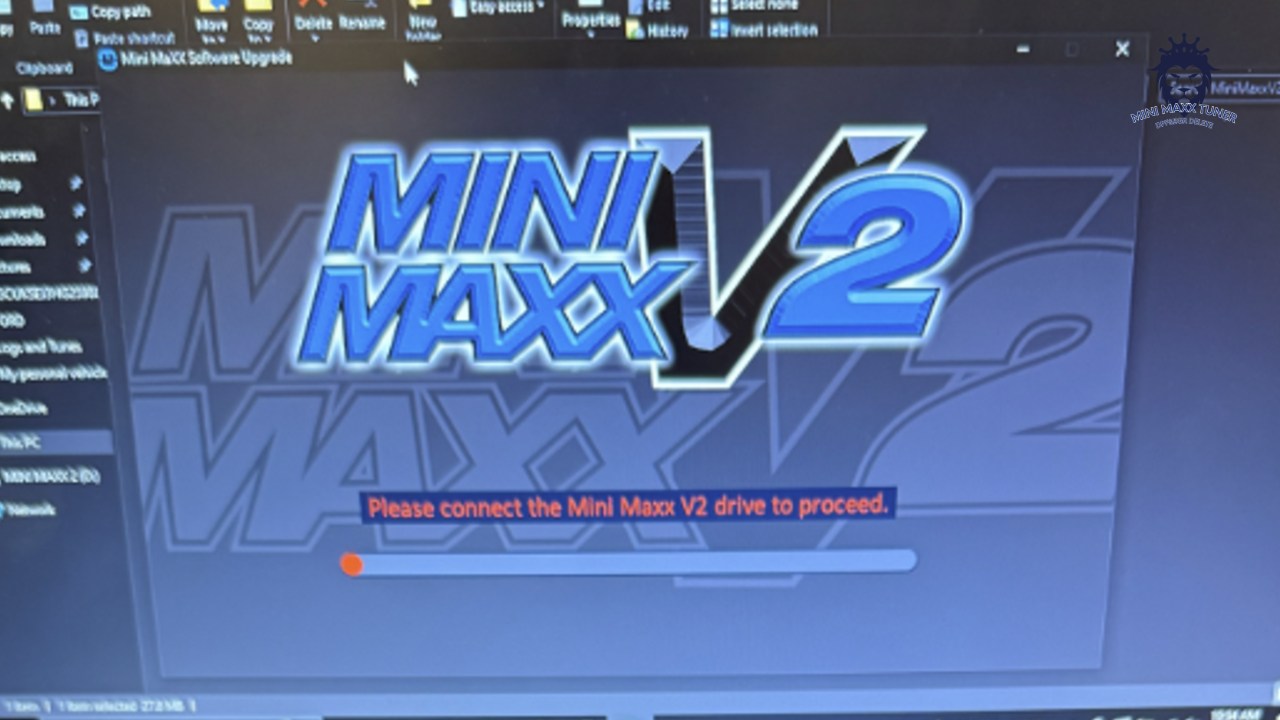
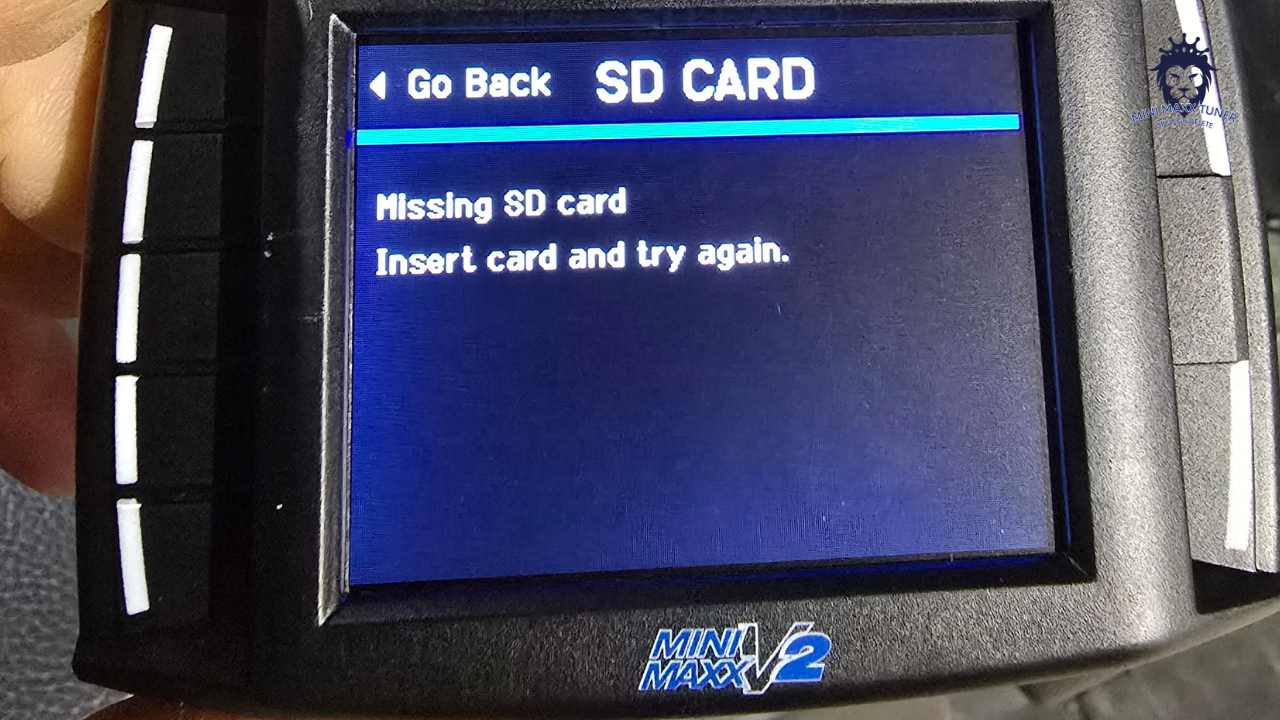
Please Connect MiniMaxx V2 Drive Error Screen
Authentic Screen Display: MiniMaxx V2 Drive Connect Prompt
MiniMaxx V2 Missing SD Card Display
Authentic Display: V2 Missing / Unseated SD Card Prompt

Fix Instructions:

Ensure the Micro SD card is seated firmly into the slot until it clicks. Re-format the card to FAT32 on a computer, copy the full V2 files onto it, and re-insert before powering on key ignition.

🔴

Mini Maxx V2 Error Codes P0088 & P0513

Error Code
▼
Mini Maxx P0088 P0513 Error Code
Authentic Screen Display: Diagnostic Trouble Codes P0088 & P0513

How to Resolve:

  • P0088 (Fuel Rail/System Pressure Too High): Indicates a faulty or burned-out Fuel Rail Pressure Sensor on your high-pressure fuel pump/rail. Replace the fuel rail pressure sensor on the engine rail.
  • P0513 (Incorrect Immobilizer Key): Perform a key cycle (turn key OFF for 30 seconds, then back to ON) to allow the immobilizer ECU to sync with the tuner.
🔴

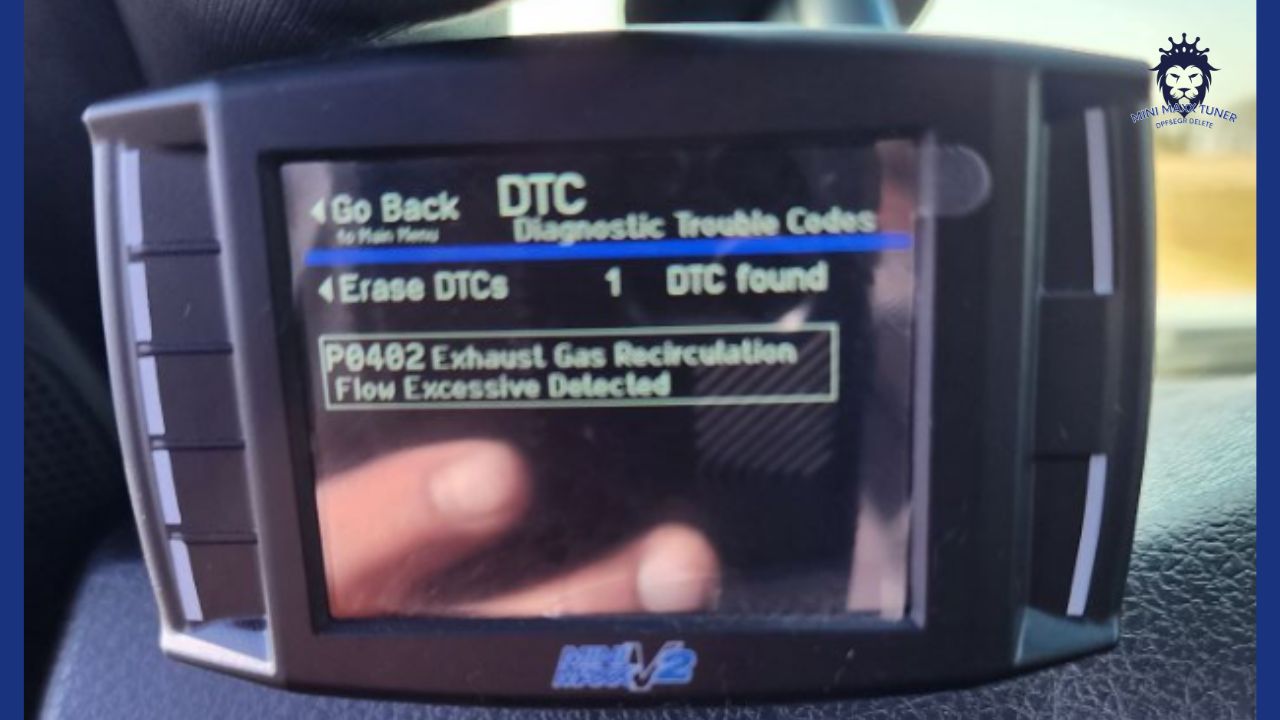
Mini Maxx V2 Error Code P0402 ("Blowing the EGR Open")

Error Code
▼
Mini Maxx P0402 Blowing EGR Open Error
Authentic Screen Display: P0402 EGR Pressure Warning

Cause & Fix:

If you have deleted the DPF/DEF but left the factory EGR valve installed without physical block-off plates, high exhaust backpressure can force (blow) the OEM EGR valve open, triggering P0402. Install physical EGR block-off plates or unplug the OEM EGR solenoid connector under the hood.
🔴

GM Duramax 6.6L Error Codes 312 & 316 (07-10 LMM / LBZ)

Error Code
▼
Duramax Error Code 312 316 Screen
Authentic Screen Display: Duramax Error Code 312 & 316

Fix Instructions:

  • Code 312: Go to Show Settings on the tuner, hold down the top-left button, and select Reset Unit. Once reset, go directly to Install Download. Do NOT re-select truck and year.
  • Code 316: Means the tuner is not communicating with the ECM because an existing aftermarket tune is already locked on the ECM. Flash truck back to factory stock before installing Mini Maxx.
🔴

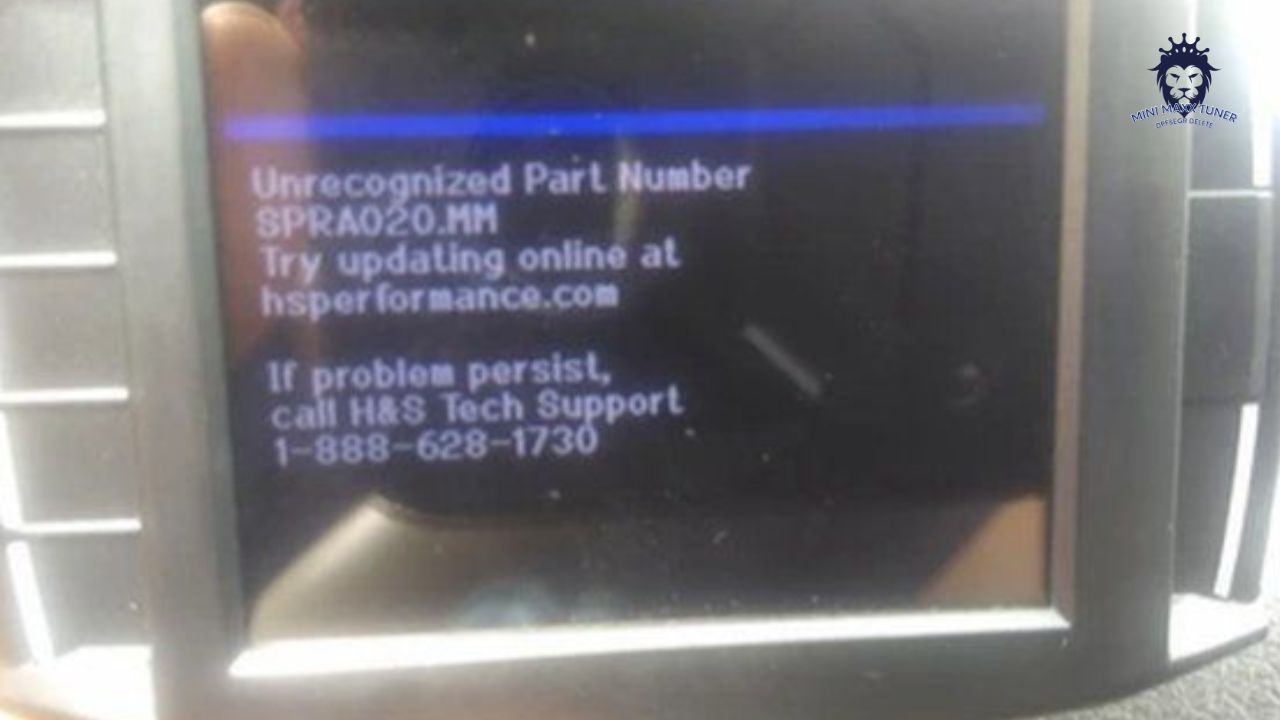
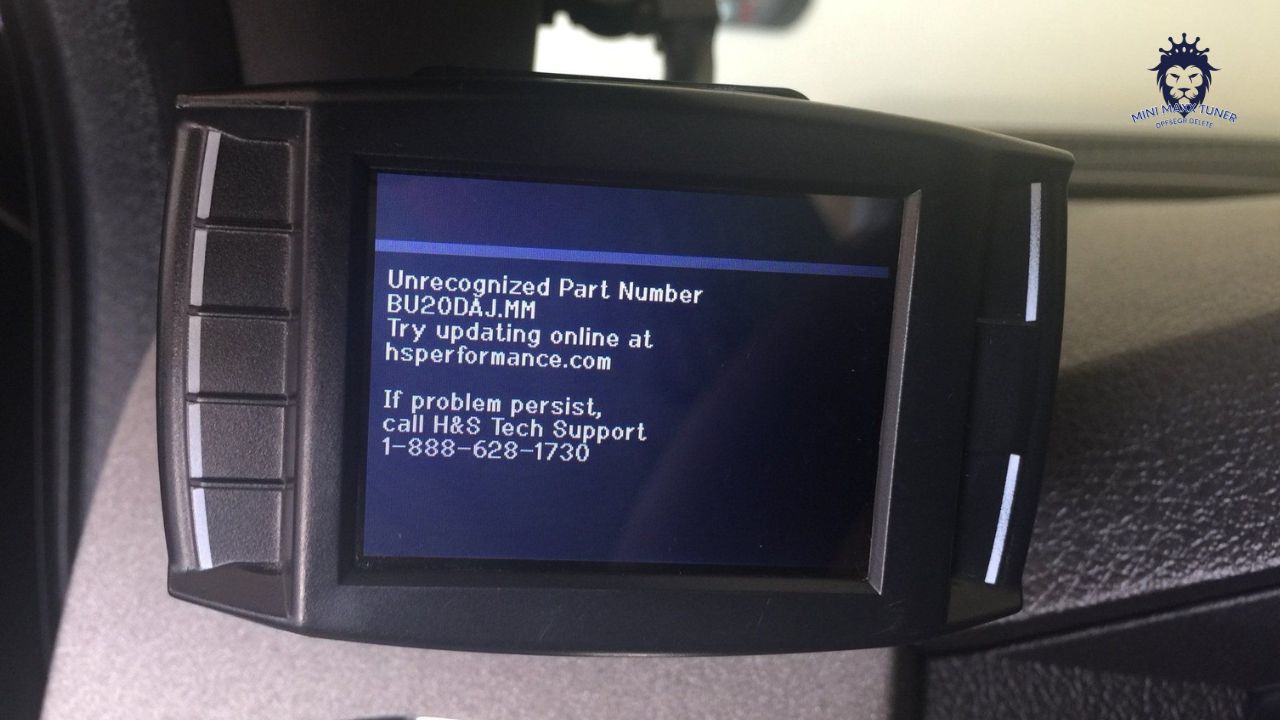
Ford 6.7L Powerstroke: "Unrecognized Part Number" (e.g. DC20BMF.MM)

Error Code
▼
Unrecognized Part Number Display
Authentic Screen Display: Unrecognized Part Number Prompt
Ford 6.7L Unrecognized Calibration Screen
Authentic Screen Display: Ford 6.7 Powerstroke Calibration Error

How to Resolve (Renaming File Strategy):

  1. Write down the exact error file name shown on screen (e.g. DC20BMF.MM).
  2. Remove the Micro SD card and open it on your PC.
  3. Open directory folder: FORD67 (for 2011-2012), FORD13 (for 2013-2014), or FORD15 (for 2015).
  4. Find an existing file that matches the first 4 characters (e.g. DC20...), duplicate it, and rename the duplicate to the EXACT name shown in the error (e.g. DC20BMF.MM).
  5. Reinsert card into tuner and retry installation.
🔴

Error Code U0073: Control Module Communication Bus Off

Error Code
▼

Cause & Fix:

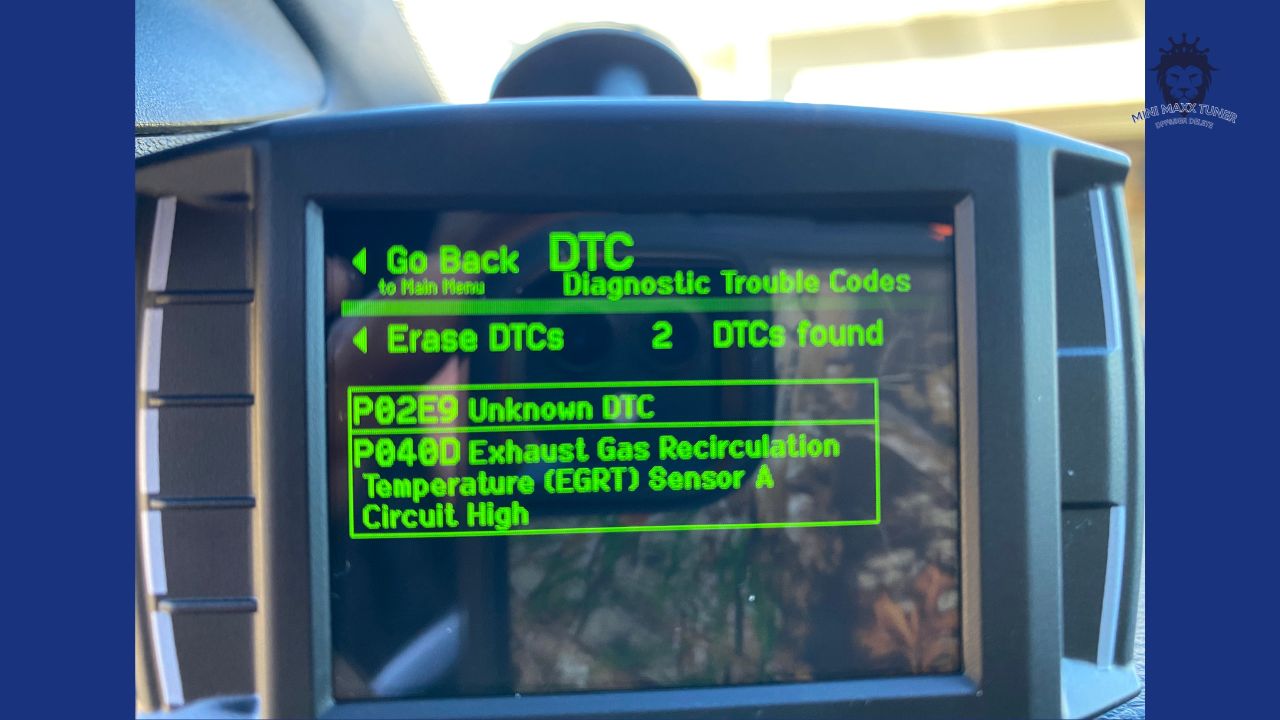
U0073 occurs when the CAN bus voltage drops below 12.2V during flashing or when secondary OBD devices interfere with communication. Connect a battery charger/tender to your truck batteries (maintaining 12.5V+), turn off headlights and AC blower, and unplug any aftermarket accessories before flashing.
🔴

Crankcase Sensor Code on 2016 Ford Powerstroke 6.7L

Error Code
▼
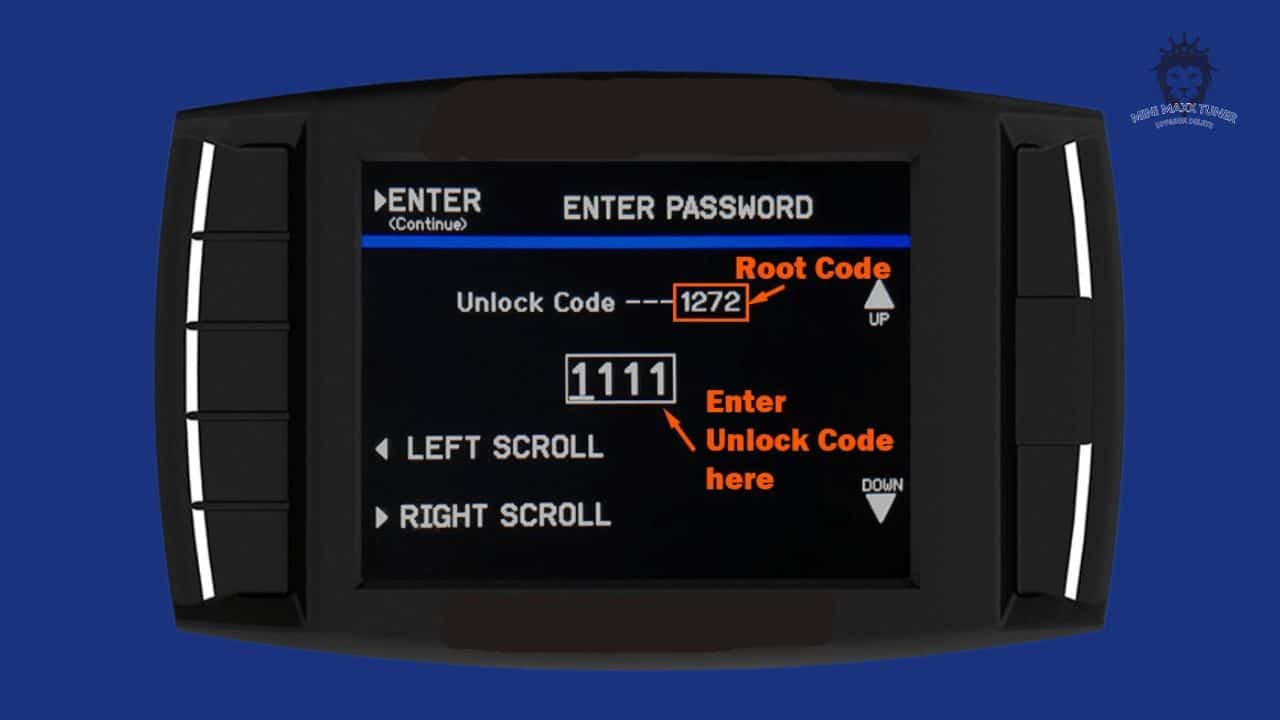
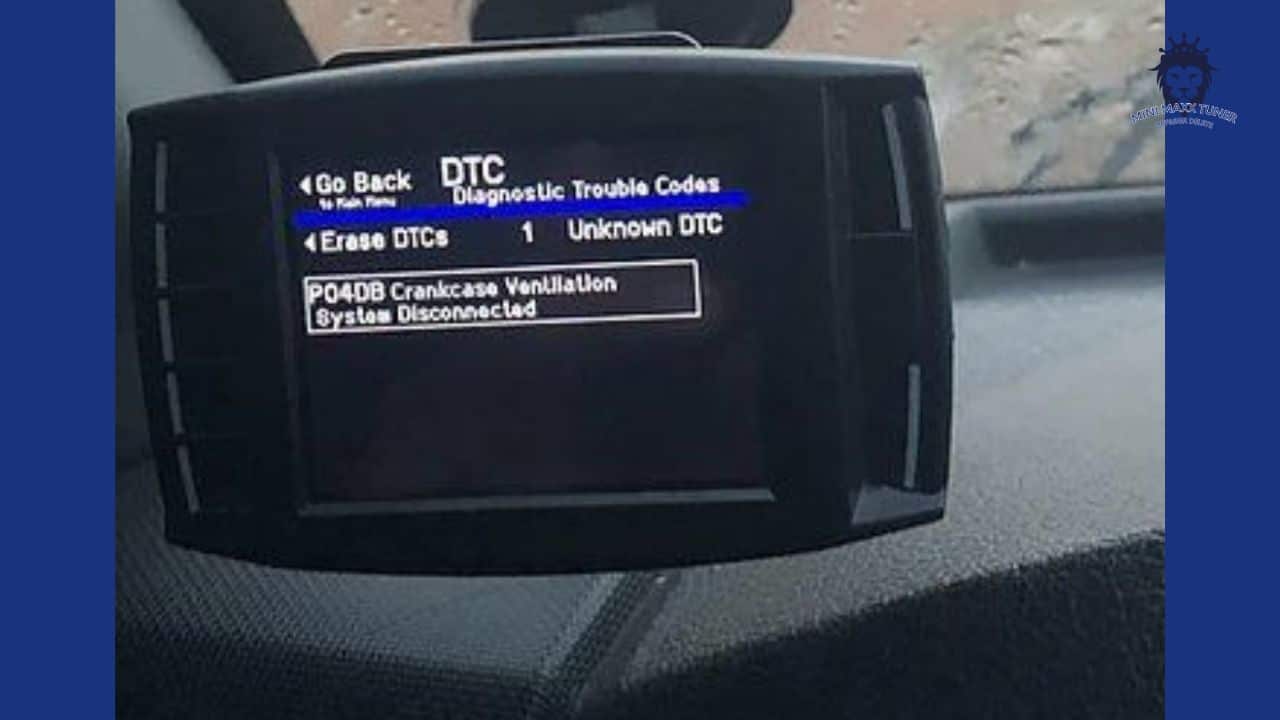
2016 Ford Powerstroke Crankcase Code
Authentic Screen Display: Crankcase Pressure Sensor Code Notice

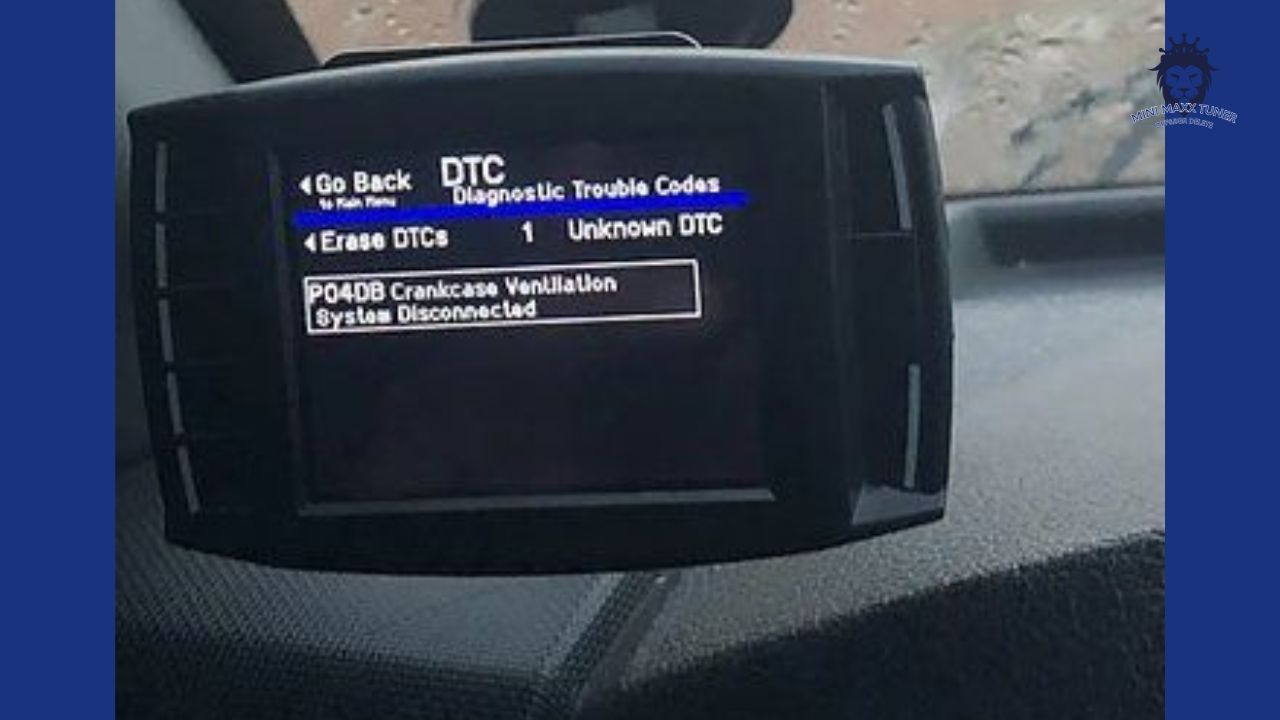
2016 Ford F-250/F-350 6.7L trucks feature a unique crankcase ventilation sensor logic. Clear DTC codes in the main menu after full delete installation, or ensure the CCV sensor plug is cleanly disconnected if performing a full CCV reroute.
💾

Tuner Stuck on "Initializing Communication" or Infinite Selection Loop

SD & Cable
▼
Check Engine Light Infinite Loop Screen
Authentic Display: Infinite Vehicle Selection Loop Screen
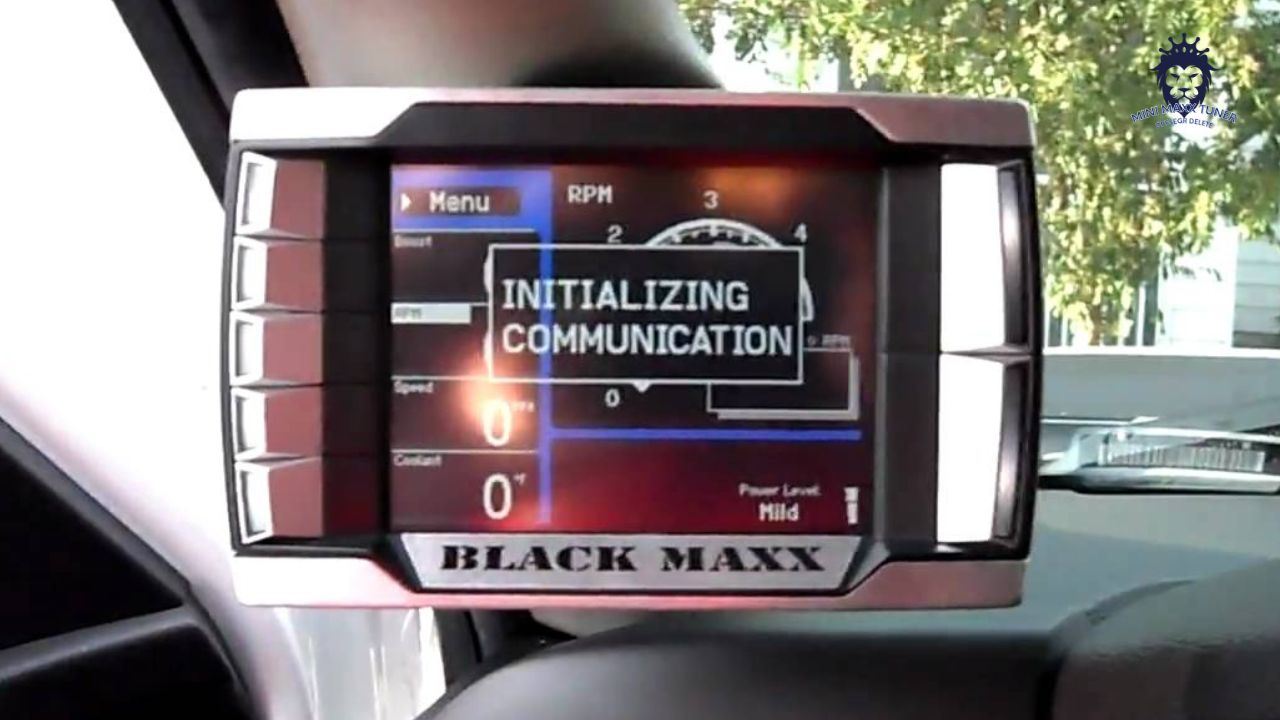
Stuck on Initializing Communication Screen
Authentic Display: Stuck on Initializing Communication Prompt

Fixing Steps:

  1. Unplug the HDMI-OBD cable from the tuner and inspect metallic pins for dust or bent contacts. Re-seat HDMI firmly into tuner.
  2. Check battery voltage (must be 12.5V+). Low battery voltage causes communication timeout.
  3. Re-format Micro SD card to FAT32 and reload fresh SD card files.
⚙️

EGT Temperature Jumped to 8000°F or Frozen at 32°F (OBD Y-Splitter Notice)

Tuning
▼

Cause & Fix:

NEVER use an OBDII Y-splitter cable! Connecting a secondary scanner or gauge simultaneously causes CAN-bus data collision, corrupting EGT PID data to jump to 8000°F or freeze at 32°F. Unplug all Y-splitters and connect Mini Maxx directly to the factory OBDII port.

⚙️

Truck Cuts Boost & Fuel Under Acceleration (Defuel Settings Adjust)

Tuning
▼

Fix Instructions:

When stepping hard on the throttle, if the tuner cuts fuel or drops boost pressure abruptly, you are hitting the tuner's built-in Defuel Safety Limits. Go to Menu ➔ Vehicle Settings ➔ Defuel Settings, and raise the Boost or EGT defuel thresholds slightly (or disable them).

⚙️

Do I Need an Alpha-Numeric Unlock Code?

Tuning
▼

NO! All Mini Maxx V1 and V2 tuners sold on minimaxxtuner.com arrive 100% pre-unlocked out of the box. You do NOT need to purchase or enter any unlock codes. Simply select your vehicle's Year, Make, and Model from the menu to proceed.

💾

Micro SD Card Hardware Specifications (4GB-8GB FAT32)

SD & Cable
▼

For maximum reliability, use a 4GB to 8GB brand-name Micro SD card (SanDisk or Kingston). Cards larger than 32GB or generic unbranded SD cards often cause boot timeouts or communication freezes. Always format in FAT32 format with 32KB allocation unit size.
⚙️

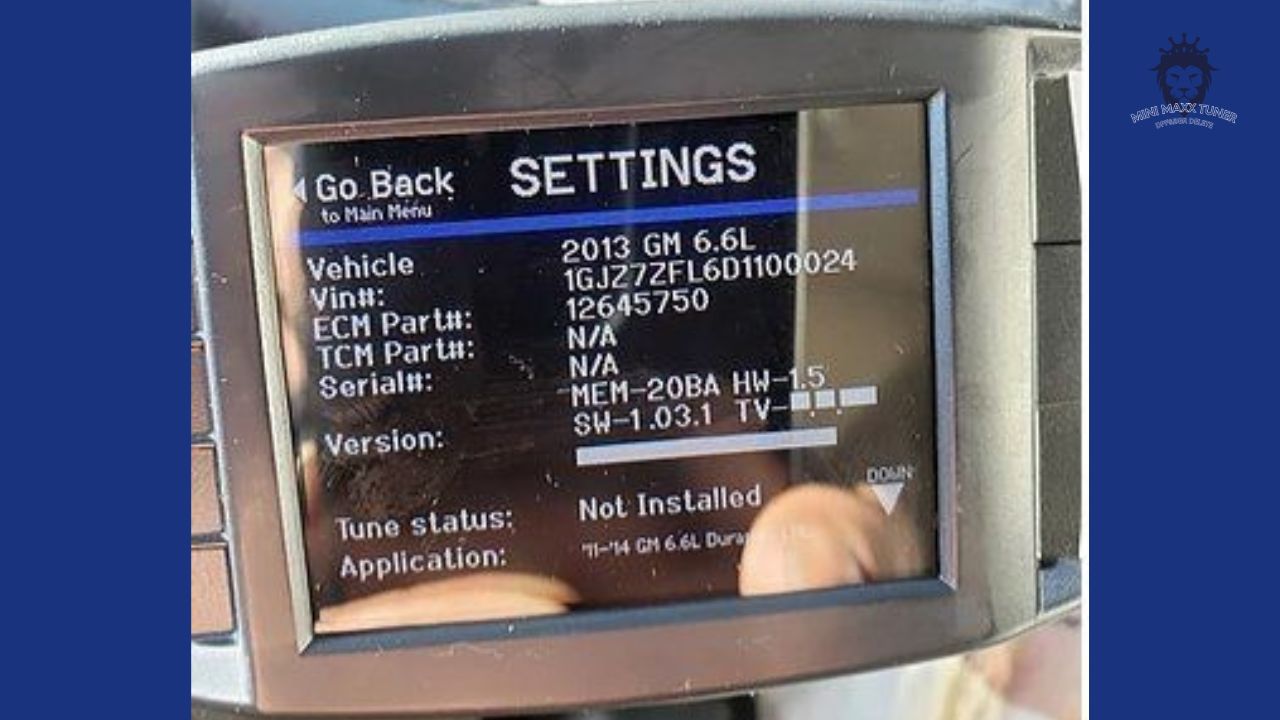
Fitment Notice: 2015 & 2016 Ford Powerstroke 6.7L

Tuning
▼
2015 2016 Ford Powerstroke Fitment Screen
Authentic Display: 2015/2016 Ford Powerstroke 6.7L Notice Screen

Yes, Mini Maxx supports 2015 and 2016 Ford F-250/F-350 6.7L Powerstroke trucks. Ensure your SD card has the updated FORD15 directory files loaded prior to installation.
⚙️

Fitment Notice: 2015+ GM Duramax LML & L5P

Tuning
▼
Duramax LML Compatibility Screen
Authentic Display: Duramax LML Compatibility Limit Screen

Mini Maxx supports 2007.5-2014 GM Duramax 6.6L (LMM / LML up to 2014). 2015+ Duramax LML and 2017+ L5P require specialized ECU unlocking and are not supported by Mini Maxx.


⚙️

Replacing TCM / ECU Module - Correct Flashing Sequence

Tuning
▼

Correct Sequence:

  1. Perform Return to Stock on the tuner before replacing the TCM/ECU module.
  2. Install the new/used TCM or ECU module.
  3. Use factory Ford IDS or RAM WiTECH diagnostic tool to align VIN info.
  4. Re-plug Mini Maxx tuner and flash your delete tuning file.
MiniMaxx Logo

MiniMaxx AI Support

Online
Hello! I'm your MiniMaxx support assistant. How can I help you today?
CONTACT US
✉️

How Can We Help You?

Please Choose an option below,Thank you.

AI Site Map (llms.txt) | Full AI Knowledge Base (llms-full.txt)
0
0
Your Cart
Your cart is emptyReturn to Shop